
Chip Resetter for Epson T5820 Waste Ink Maintenance Tank |
|
  |
£25.95
|
|
Reset and Recycle the Maintenance
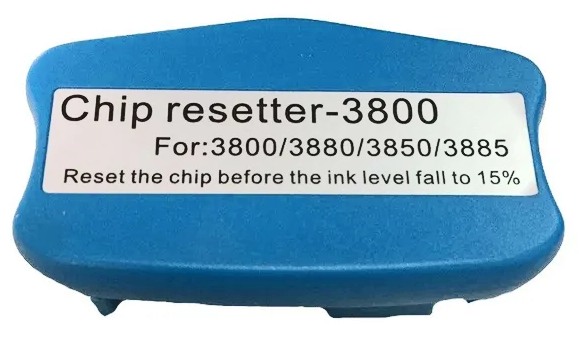
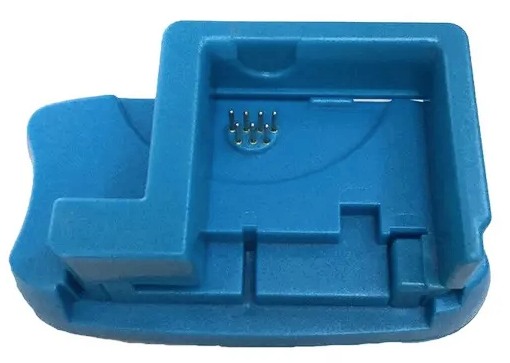
Waste Ink Box How to use the resetter: The pins on the resetter should make good contact the terminals on the chip of the tank, be sure to press against the pins firmly. Once connected the LED light in the resetter will light up (starts out RED, and after 2-3 seconds will blink and then turn GREEN). GREEN means a successful reset. If the LED stays red, it means that the chip on the cartridge has not reset. If you allow the cartridge to go low and indicate "X" it won't reset. PLEASE NOTE The body colour may vary. The images are just examples of the types of bodies used to fit the electronics inside. | |
|
Compatibility
|
|
|
T5820 chip resetter for Epson maintenance
tanks.
used in:-
Epson Surelab D700 Epson Stylus Pro 3800 Epson Stylus Pro 3800C Epson Stylus Pro 3850 Epson Stylus Pro 3880 Epson Stylus Pro 3885 Epson Stylus Pro 3890 SureColor SC-P800 Fuji FujiFil DX100
How to use the resetter: The pins on the resetter should make good contact the terminals on the chip of the tank, be sure to press against the pins firmly. When the chip makes proper contact with the pins on the resetter, the LED light in the resetter will light up (starts out RED, and after 2-3 seconds will blink and then turn GREEN). GREEN means a successful reset. If the LED stays red, it means that the chip on the cartridge is abnormal and not resettable. Once the tank has been reset, thewaste ink that it has collected has to be removed before installing it back into the printer. This can be done in a number of ways. One is to dispose of the pad and refill the box with new absorbent material, e.g. nappies or incontinence pad can be cut to size and packed in.
PLEASE NOTE it may be necessary to rotate two tanks. Having a spare ready to go is a good plan anyway. | |


Tel: 01578-730477
Whatsapp: 00447740378824

ProPrint
Stow Mill
Stow
Galashiels
TD1 2RB
Established in 1997
All Brand Names & Trademarks are acknowledged | E&OE Prices may vary
without notice

